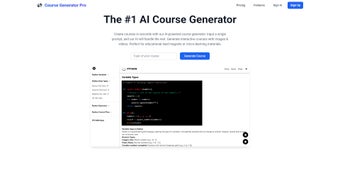

Download Course Generator Pro – AI-Powered Course Creation Tool for Educators & Content Creators
Transform Ideas into Engaging Micro-Learning Courses with Course Generator Pro
In today’s fast-paced digital world, creating high-quality, engaging educational content has never been more critical. Whether you're an educator, corporate trainer, or independent content creator, the demand for micro-learning courses is growing rapidly. That’s where Course Generator Pro steps in—a powerful, AI-driven web application designed to simplify and accelerate the course creation process. This innovative tool empowers users to turn a simple topic into a fully structured, multimedia-rich micro-learning course in minutes. With its intuitive interface and intelligent automation, Course Generator Pro eliminates the time-consuming manual work traditionally involved in course development. The journey begins with a single input: a topic or subject. From there, the AI generates a detailed course outline, breaking down the subject into logical modules and lessons. This foundational structure ensures your course is well-organized and pedagogically sound. But what sets Course Generator Pro apart is its ability to regenerate the outline with different approaches—whether you want a more technical, narrative, or interactive format. This flexibility allows educators and trainers to experiment with various teaching styles without starting from scratch. Beyond just outlining, the tool goes a step further by generating full content. It produces high-quality text, suggests relevant images, and even provides video script ideas tailored to each lesson. This multimedia integration enhances learner engagement and supports diverse learning styles. The AI ensures consistency, clarity, and accuracy across all content, reducing the risk of errors and inconsistencies. With Course Generator Pro, you’re not just saving time—you’re also elevating the quality of your educational materials. It’s ideal for anyone looking to scale their content output without sacrificing depth or engagement.Key Features That Make Course Generator Pro a Must-Have Educational Tool
Course Generator Pro is packed with features designed to streamline the course creation workflow and deliver exceptional results. At its core is a sophisticated AI engine that understands educational structure and pedagogy, allowing it to generate logically organized, learner-centered content. Here’s a closer look at what makes this tool stand out:- Smart Course Outlining: Instantly transform any topic into a structured course with modules, lessons, and learning objectives. The AI adapts to your preferred teaching style—whether it’s linear, modular, or scenario-based.
- Content Generation: Generate detailed text for each lesson, complete with explanations, examples, and summaries. The AI ensures content is clear, concise, and aligned with learning goals.
- Multimedia Integration: Get AI-generated image suggestions and video script ideas for each lesson, making your course visually engaging and dynamic.
- Outline Regeneration: Experiment with different course structures without starting over. Regenerate the outline to explore alternative formats and find the best fit for your audience.
- Export & Integration: Seamlessly export your course in multiple formats, including PDF, SCORM, and LMS-compatible packages, for easy upload to platforms like Moodle, Teachable, or Thinkific.
- Real-Time Collaboration: Share course drafts with team members or reviewers, enabling collaborative feedback and faster iterations.
How to Install and Use Course Generator Pro – A Step-by-Step Guide
Getting started with Course Generator Pro is simple and requires no technical expertise. Since it’s a web-based application, there’s no installation needed—just sign up and begin creating. Here’s a step-by-step guide to help you maximize your experience: 1. Sign Up: Visit the official website and create a free account. You’ll gain access to a limited version of the tool with core features. 2. Enter Your Topic: Type in your course topic (e.g., “Introduction to Digital Marketing” or “Time Management for Remote Workers”) and click “Generate Outline.” 3. Review & Customize: The AI will instantly generate a structured outline with modules and lessons. You can edit, reorder, or expand any section to suit your needs. 4. Regenerate for Variety: If the initial structure doesn’t fit your vision, use the “Regenerate” button to explore alternative formats. 5. Generate Content: Click “Generate Content” to produce text, image suggestions, and video scripts for each lesson. 6. Review & Edit: Fine-tune the generated content. The AI provides suggestions, but you retain full control over the final output. 7. Export Your Course: Once satisfied, export your course in your preferred format—PDF, SCORM, or LMS-ready package—for immediate use. The entire process is intuitive and user-friendly, even for beginners. The dashboard is clean and well-organized, with clear navigation and tooltips for first-time users. You can save drafts, track progress, and revisit projects at any time. The tool also supports cloud-based access, so you can work from any device—Windows, Mac, Android, or iOS—without losing your work. Regular updates ensure the AI stays current with the latest educational trends and content best practices. Whether you’re creating a course for a single learner or a global audience, Course Generator Pro makes the process smooth, efficient, and enjoyable.Compatibility & System Requirements for Seamless Use
Course Generator Pro is a cloud-based web application, meaning it runs entirely in your browser—no downloads, no installations, and no compatibility issues. This makes it accessible across a wide range of devices and operating systems. Whether you’re using a Windows PC, Mac, iPad, Android tablet, or iPhone, you can access your projects anytime, anywhere with an internet connection. The software supports the latest versions of major browsers, including Google Chrome, Mozilla Firefox, Safari, and Microsoft Edge. This ensures optimal performance and security across platforms. There are no specific hardware requirements—any modern device with a stable internet connection will work perfectly. This flexibility is especially beneficial for educators and trainers who work across multiple devices or collaborate with remote teams. The tool is designed with responsive design principles, so the interface automatically adjusts to fit your screen size, whether you're using a desktop, laptop, or mobile device. This ensures a consistent and productive experience regardless of your setup. Additionally, Course Generator Pro integrates seamlessly with popular Learning Management Systems (LMS), including Moodle, Canvas, Teachable, and Thinkific, allowing for easy deployment of your courses. For users concerned about data security, the platform employs end-to-end encryption and complies with GDPR and CCPA standards. Your course content remains private and secure unless you choose to share it. The subscription model ensures you always have access to the latest features and updates, with no hidden fees. With cross-platform compatibility and robust security, Course Generator Pro is built for real-world use—whether you're in a classroom, office, or on the go.Frequently Asked Questions (FAQs) – Everything You Need to Know
Is Course Generator Pro free to use?
Yes, Course Generator Pro offers a free tier with limited features, allowing users to create basic courses and test the tool. However, for full access to AI content generation, multimedia integration, and advanced export options, a subscription is required.
Can I use Course Generator Pro on my mobile device?
Absolutely. Since it’s a web-based application, you can access Course Generator Pro from any mobile device with a browser—Android, iOS, iPad, or iPhone—making it ideal for on-the-go course creation.
Does Course Generator Pro support multiple languages?
Yes, the tool supports multiple languages, allowing you to create courses in English, Spanish, French, German, and more. This makes it perfect for global educators and multinational organizations.
How often does Course Generator Pro update its AI models?
The AI models are updated regularly—typically every 4-6 weeks—to improve accuracy, expand language support, and incorporate new educational trends and best practices.
Can I export my course to my LMS?
Yes, Course Generator Pro supports export in SCORM, xAPI, and LMS-compatible formats, making it easy to upload your course to platforms like Moodle, Teachable, Thinkific, and more.



.png)



